FiatBear can copy stock, index and commodity perpetuals from trade[XYZ] on Hyperliquid, alongside regular Hyperliquid perpetuals. Turn it on per Hyperliquid connection, make sure the account mode and collateral fit, and only new XYZ trades are copied from that moment.
Turn XYZ copying on or off
- Open Settings > Exchanges.
- Open your Hyperliquid connection.
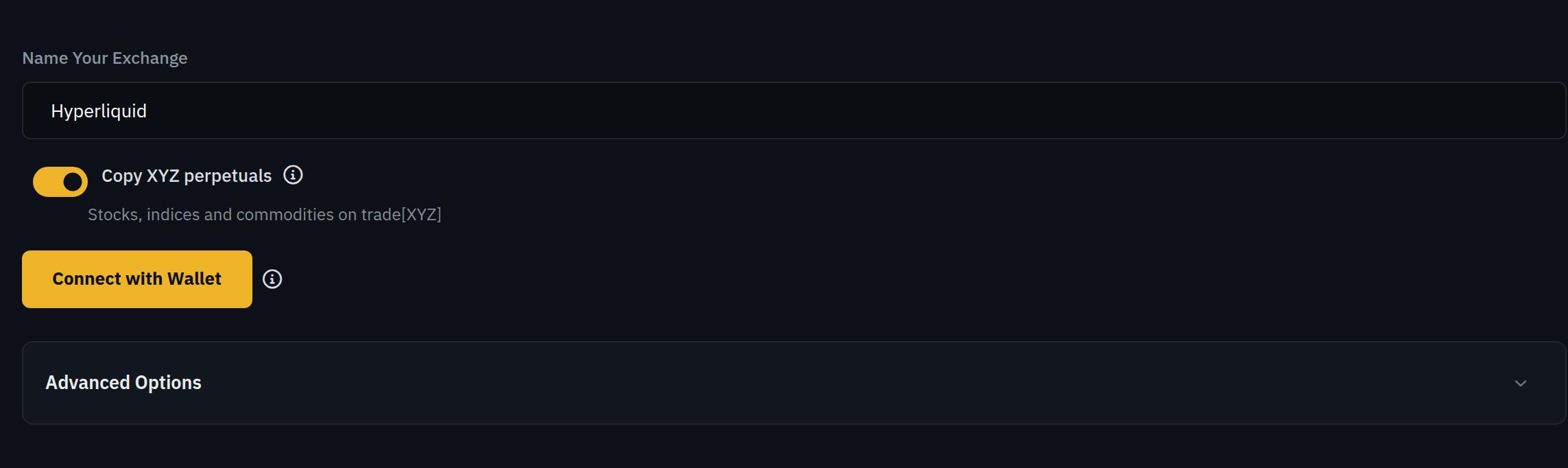
- Find the Copy XYZ perpetuals switch, captioned "Stocks, indices and commodities on trade[XYZ]".
- Switch it on or off and save.
| Connection | Default |
|---|---|
| Added after XYZ support was released | On. You can switch it off while adding the connection. |
| Added before XYZ support was released | Off until you switch it on. |
| Renewed authorization | Unchanged. Renewing does not change the XYZ choice. |
What gets copied
- Only new XYZ trades. FiatBear copies XYZ opens and increases that happen after you switch XYZ on. XYZ positions the trader already holds at that moment are not backfilled.
- Your normal limits apply. Position budgets, the account-wide open-position limit, direction, entry distance, stop loss and take profit work the same way as for regular perpetuals.
- Leverage stays within the market. If the chosen leverage is above an XYZ market's maximum, FiatBear uses that market's maximum. Your Max Leverage setting still applies.
- Margin follows the market. Each XYZ market is cross or isolated on Hyperliquid. FiatBear uses the margin type the market requires.
- Your own positions are left alone. If you already hold a position in the same XYZ market yourself, FiatBear skips the copy instead of adding to or taking over your position.
What happens when you switch it off
Switching XYZ off stops new XYZ positions and increases. XYZ positions FiatBear already copied for you still receive the trader's reductions and closes, and your stop loss and take profit stay in place. Close a position yourself in Hyperliquid if you want out right away.
Account mode and collateral
XYZ copying works with the Standard and Unified Hyperliquid account modes. FiatBear never changes your account mode and never moves funds for you. See Hyperliquid's account abstraction modes for the current rules.
| Mode | XYZ collateral | What to do |
|---|---|---|
| Unified | One USDC balance funds regular perpetuals and XYZ. | Nothing extra. Check Available to Trade as usual. |
| Standard | XYZ has its own balance, separate from regular Perps. | Move the USDC you want to use for XYZ into the XYZ balance on Hyperliquid. |
| Portfolio Margin | Not supported for XYZ copying. | Regular perpetuals still copy. XYZ trades are not opened. |
Funding messages on Settings > Exchanges
- XYZ collateral is empty
- Standard mode with no USDC in the XYZ balance. Fund XYZ on Hyperliquid to copy these markets.
- XYZ collateral is in use
- Open XYZ positions already use all XYZ margin. New XYZ positions cannot open until margin frees up or you add funds.
- XYZ collateral unavailable
- FiatBear could not read the XYZ balance this time. Reload the page. Nothing was changed.
- XYZ copying supports Standard and Unified accounts only
- Your account is in another mode. Regular copying is unchanged and your mode was not changed.
Block specific XYZ markets
Use the full market name in a configuration's Blocked Assets field, for example xyz:AMD. Entering AMD does not block xyz:AMD. Copy Trades, positions and notifications also show the full xyz: name, so you can tell XYZ markets apart from regular ones.